



Animating in Model Editor
In the Model Editor, click ANIMATE in the upper right corner to enter the animation screen. Before animating, select or create an animation in the left panel. This will allow you to animate each element using the timeline below and moving the elements.
NOTE: If you use BlockBench, importing a BBModel file will also add all animations. So if you are familiar with BlockBench, you may want to consider doing the animations there first and then importing the entire file.
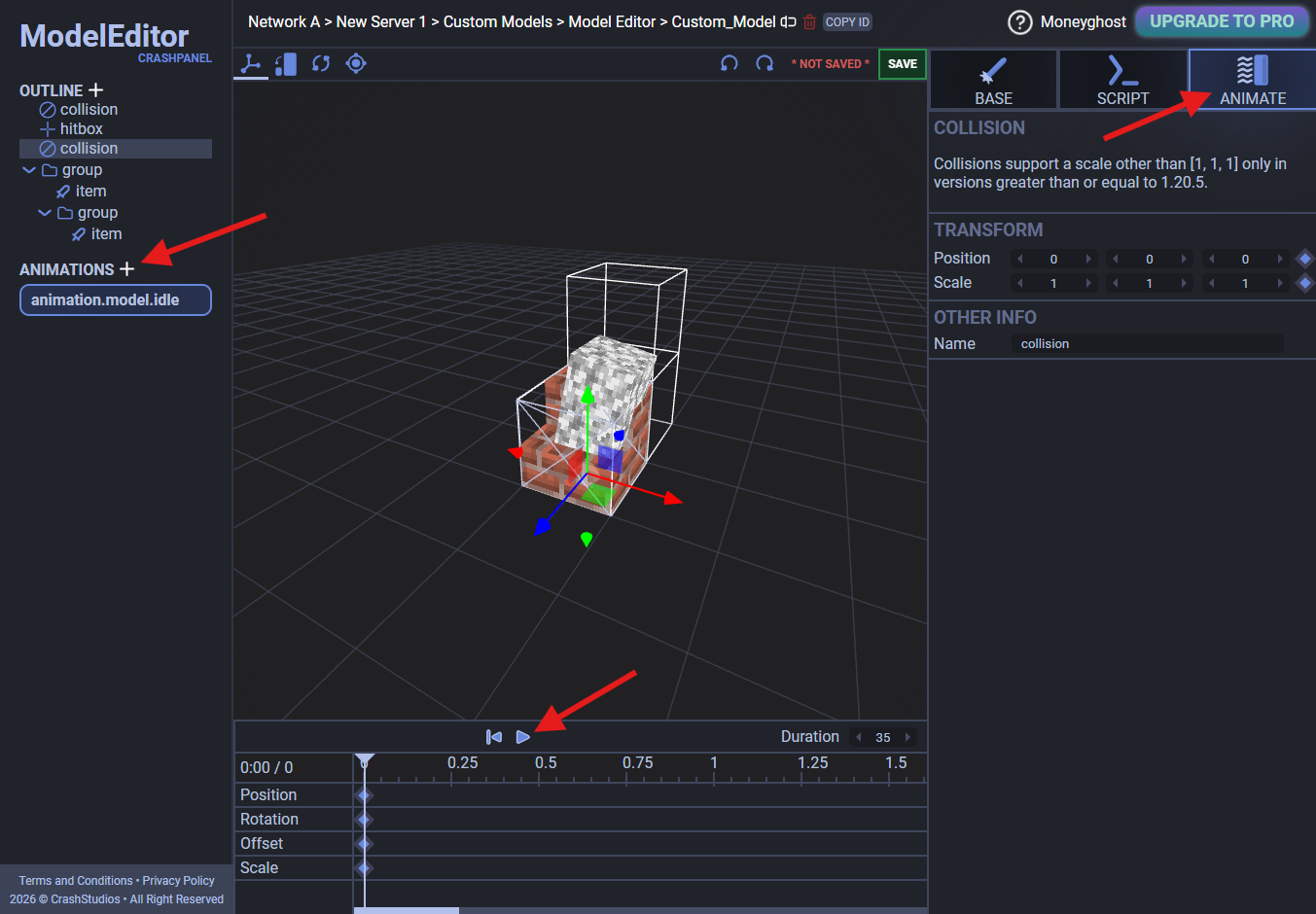
Using animations
In the Script Editor, use the Play Model Animation and Remove Model Animation nodes to manage your animations.