



Use custom config
Custom config is a great way to save data and configuration files with Script Editor.
Creating a Custom Config
In the server's CrashPanel (e.g., in the console), you will find Custom Configs in the Content & Script section on the left.
On this page, click CREATE to create a new Custom Config.
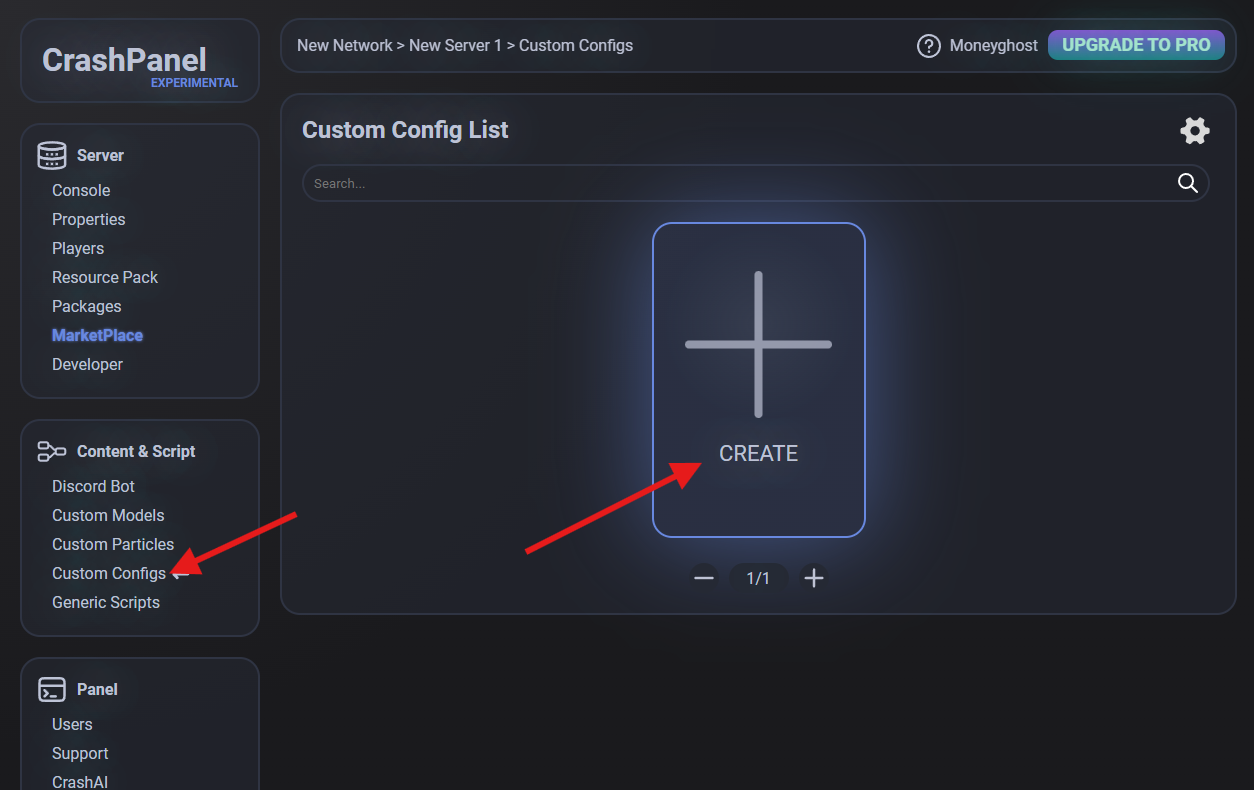
Think of a Custom Config as a folder with an ID and a name (in the Script Editor, however, Custom Config refers to the single file).
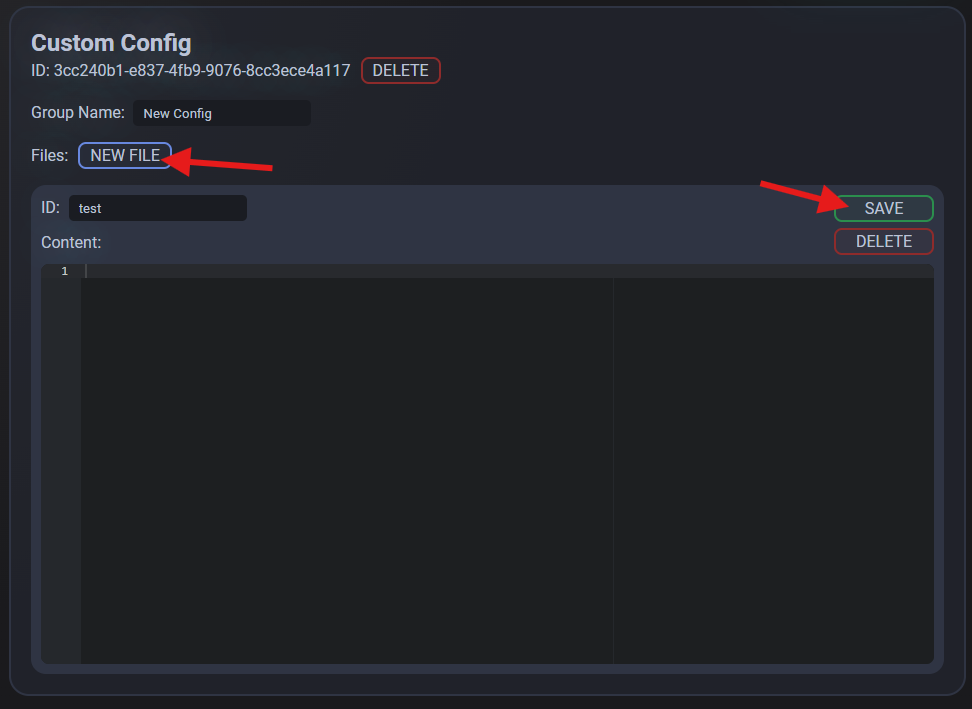
Creating a File
Create a file by clicking NEW FILE and then open it by clicking the new button that appears. This will open the file and allow you to edit its contents and ID or delete it. Remember to save the file when you are finished.
Using a Custom Config
In the Script Editor, you will find many dedicated nodes. The most interesting ones are the following:
- Load Custom Config: loads the specified file into RAM so that you can read and edit it.
- Unload Custom Config: if you no longer need the file, this unloads it from RAM.
- Get/Set Custom Config: reads or modifies the value given a certain path (it is recommended to see the example below)
- Save Custom Config: saves the file (but does not unload it from RAM)
Custom Config Example
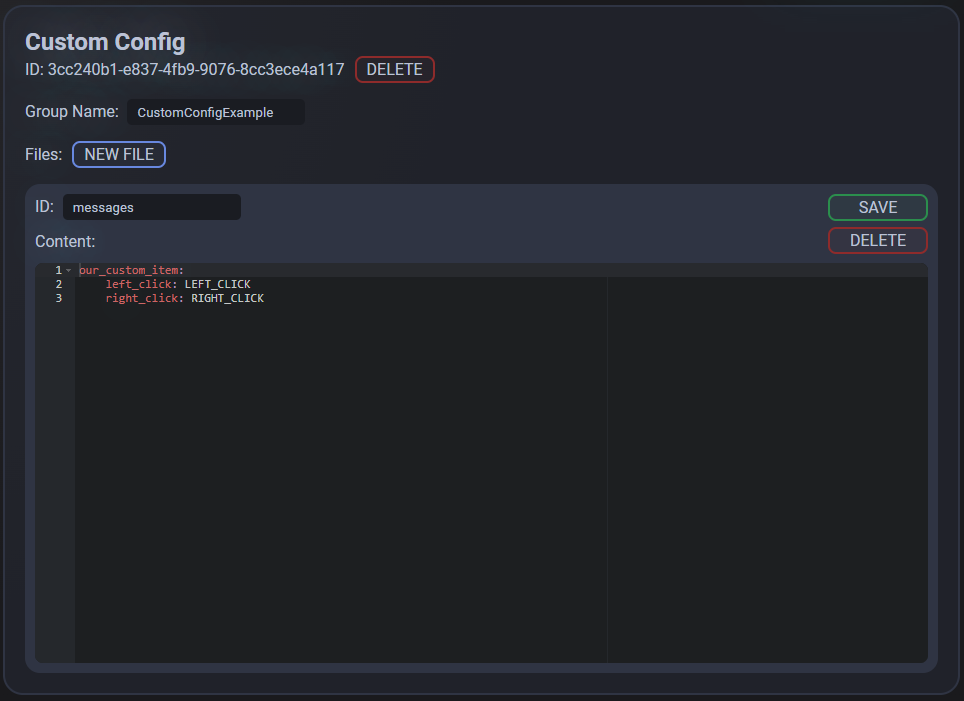
In this example, we will create an item (see the guide dedicated to Custom Items) that, when right- or left-clicked, sends the player a message contained in the Custom Config.
Here is our Custom Config:
Here is our Script:
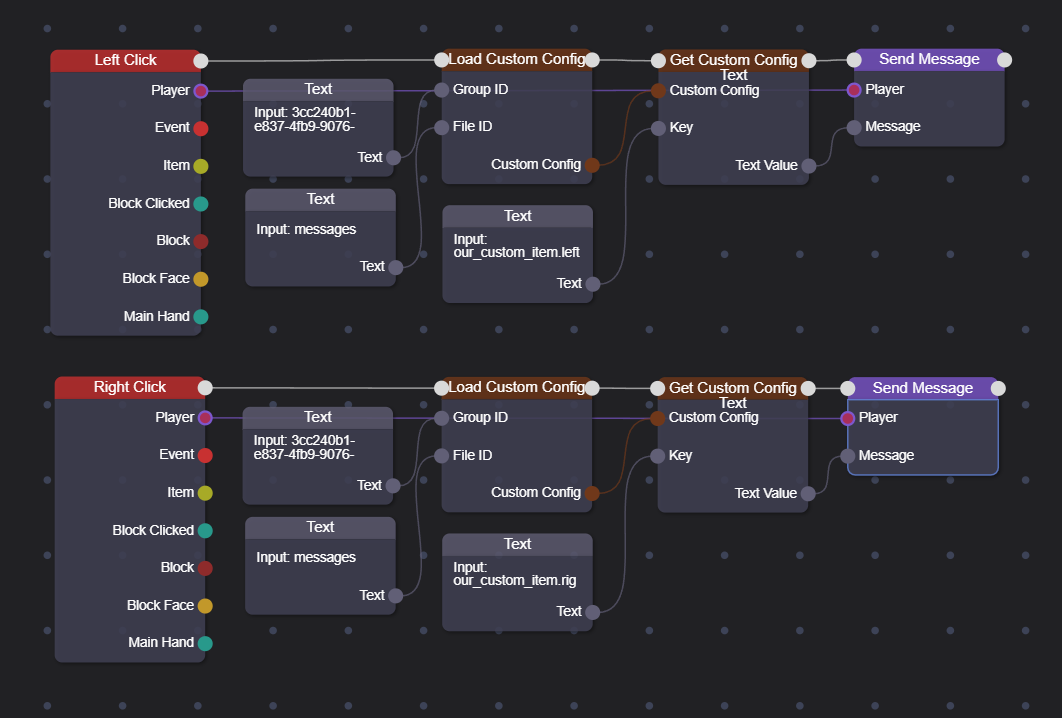
Note that the path is created as follows: our_custom_item.left_click
Performance
It is advisable to download files from RAM after they have been used and are no longer needed. If they are needed often, it is better to leave them in RAM.
This is because when you load, you engage the disk to read the data (unless the file has already been loaded), but if you leave it loaded unnecessarily, you consume RAM.
In our previous example, the file is very small and the item is used often (right and left click), so it is not convenient to unload the file from RAM.