



Resource Pack Management
Resource pack management with CrashPanel is completely automatic. Every time you upload a texture or model, the resource pack is immediately reloaded and sent to players who enter the server.
To see the updated resource pack on Minecraft, simply exit and re-enter the server or run the /reloadresourcepack command.
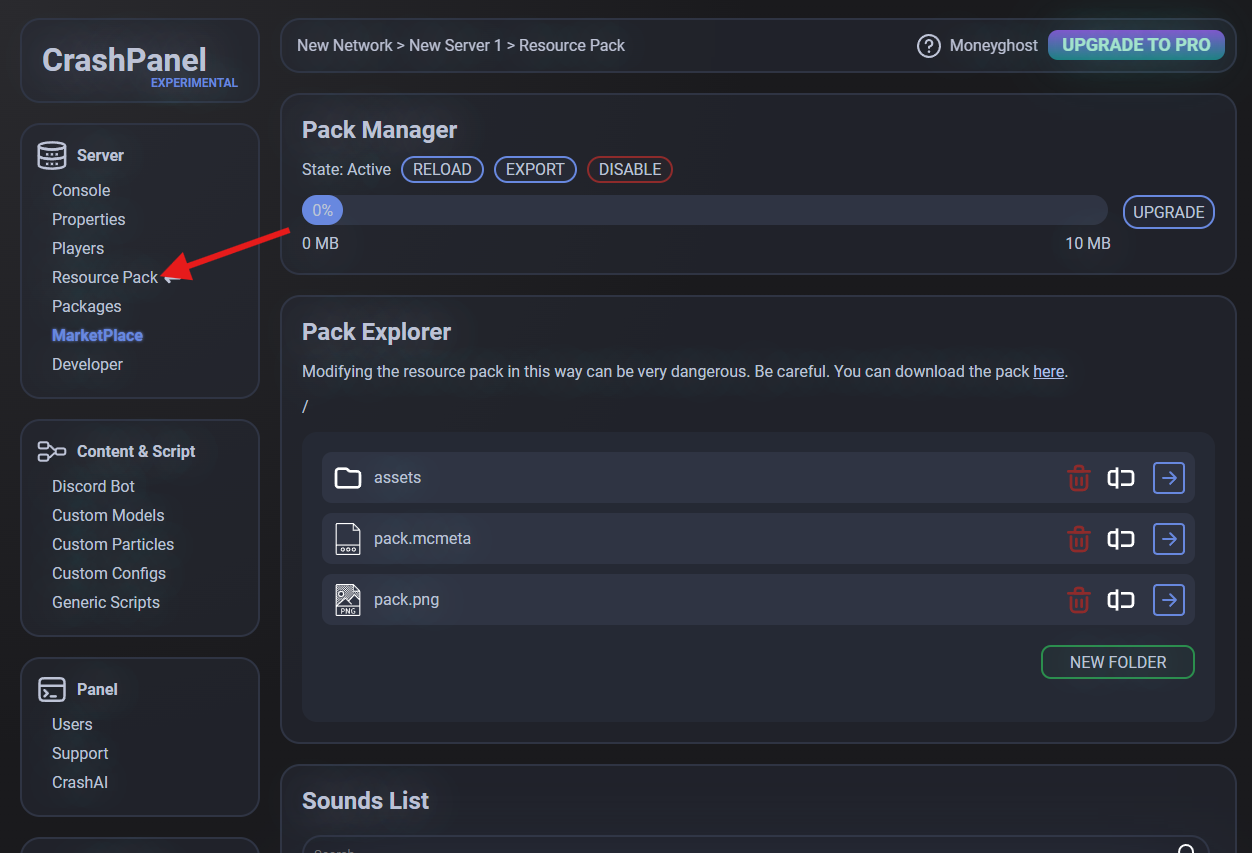
To manage the resource pack, go to your server's CrashPanel and click Resource Pack on the left (in the Server section).
Pack Manager
Here you can see the status of your pack manager and, in particular, the space it occupies. Please note that if your resource pack weighs more than 10 MB (which is a lot), you will need to upgrade your account to PRO.
You can also disable the pack manager, which is useful if you send the resource pack to your players in another way, but not recommended as it is inconvenient.
Pack Explorer
One of our goals is to automate as much as possible so you don't have to get your hands dirty using this module. Here you can explore the various folders and files that make up the resource pack, and you can also easily download it by clicking the button.
Please note that this module is one of the very few reserved for PRO users only.