

Common uses of Script Editor
This page will provide a series of common patterns and uses of the Script Editor.
Counter
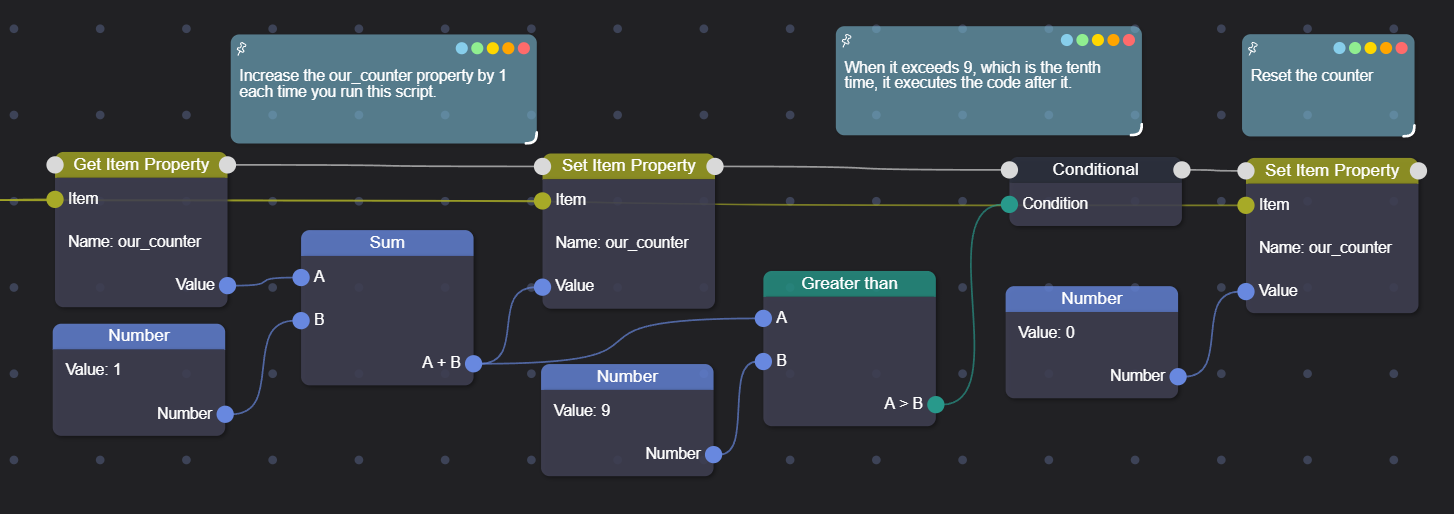
To create a counter in an item, you can use its properties. Similarly, you can do this with the server, worlds, CrashBlocks, and entities (often used on Players).
Managing a list
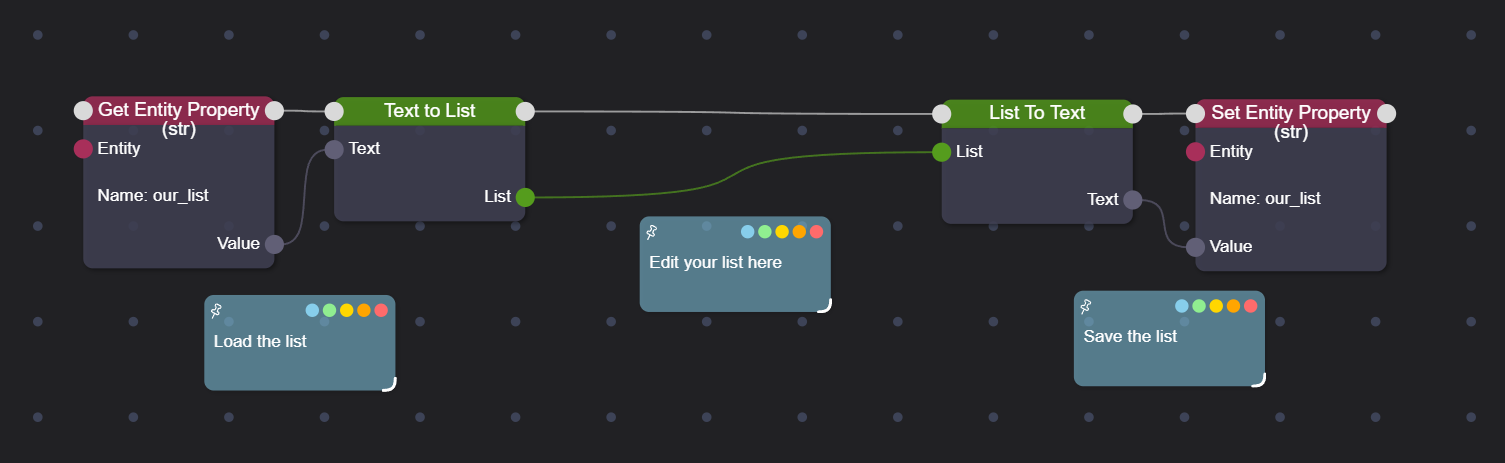
To save a list in the properties (and load it), you must use the conversion nodes between list and text.
Managing a map
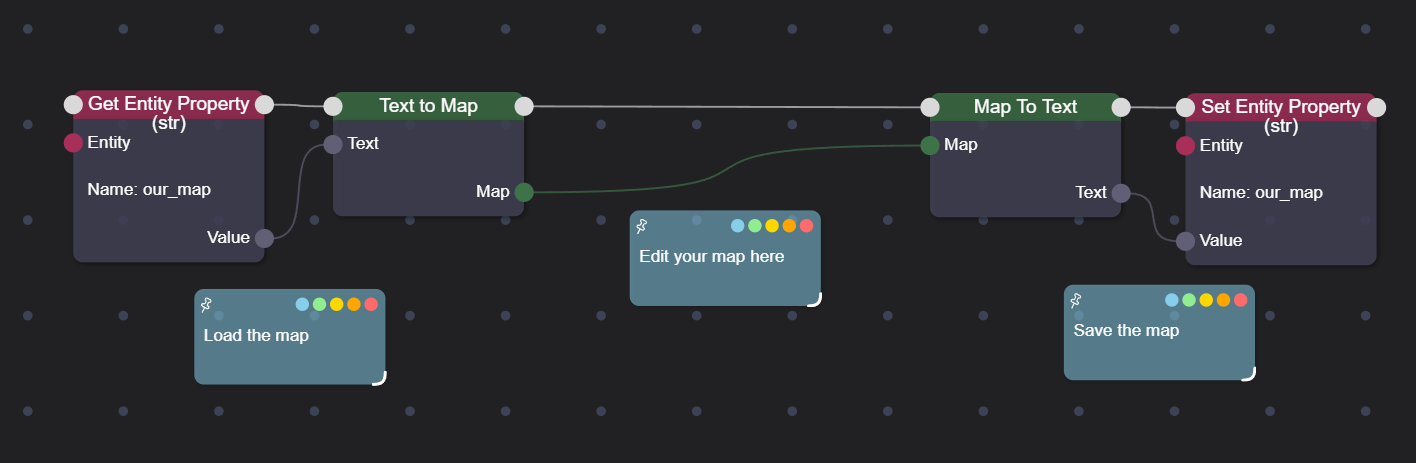
To save a map in the properties (and load it), you must use the conversion nodes between map and text.
Blocks list
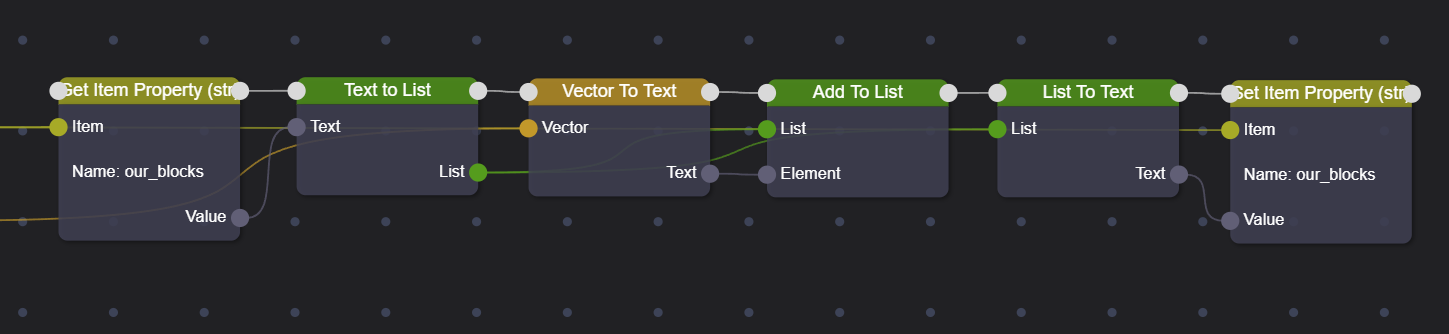
To save blocks in the properties, you will need to convert the block to a location, then to text, and then add it to a list, which is what we will save in the properties. Note that in this case we lose some information, namely the block's world. For this example, we assume that all blocks are in the same world.
Managing an inventory
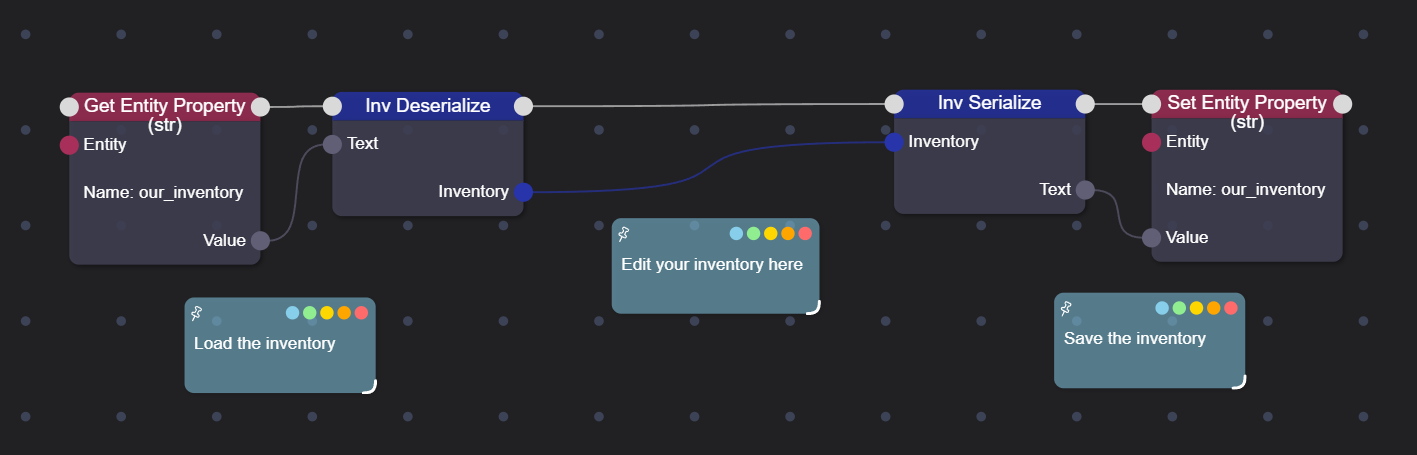
To save an inventory in the properties (and load it), you must use the conversion nodes between inventory and text.
Managing vectors
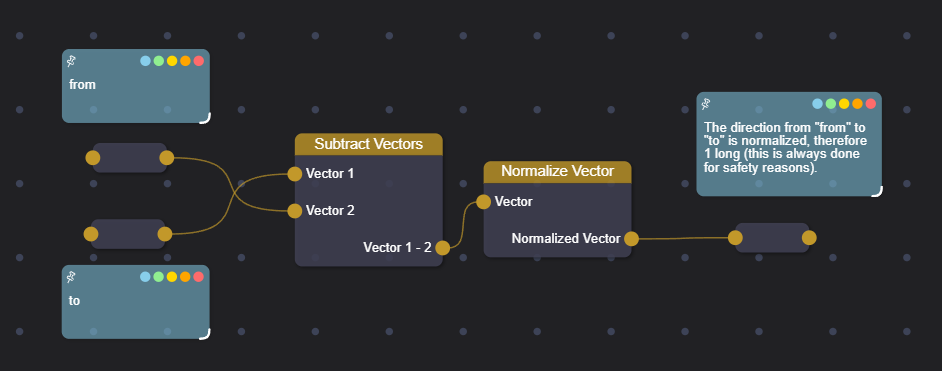
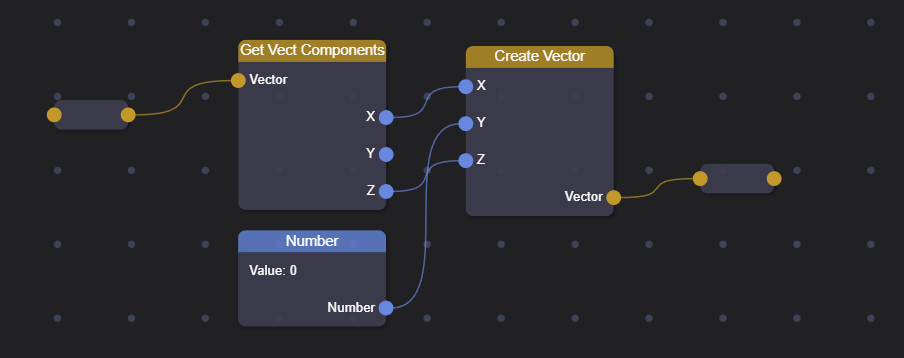
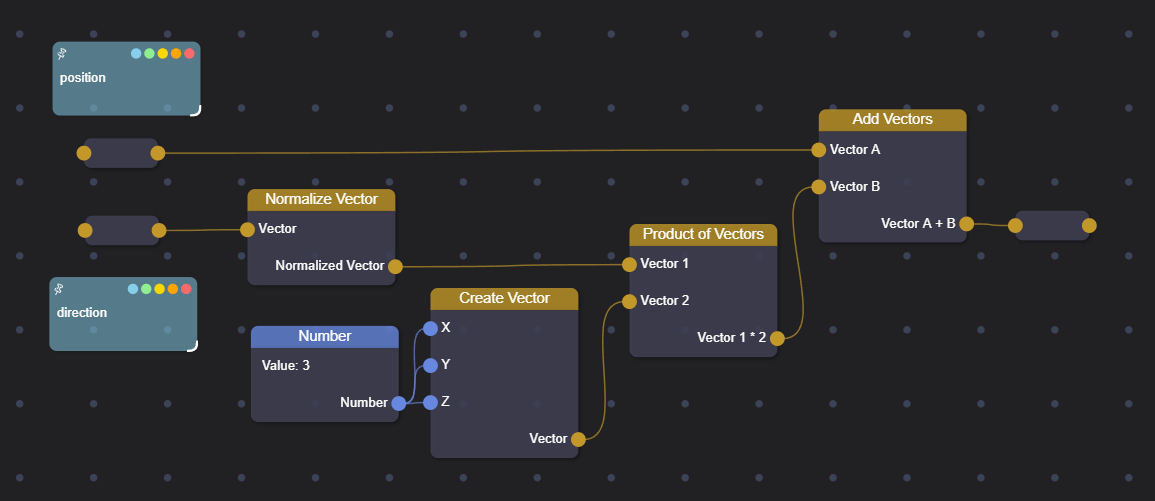
Here are three examples of vector management. In the first, the direction from one point to another is calculated; in the second, only one component is modified (in this case, the Y component is set to zero); and in the third, a point along a direction is taken (in our case, at a distance of 3).
Managing strings
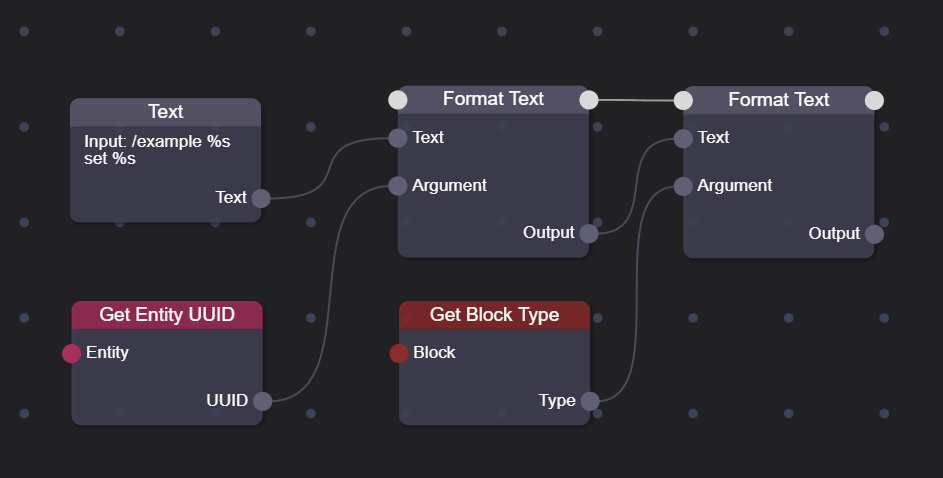
For strings, we will only see the Text Format node, specifically for composing a command: /example %PLAYER_ID% set %BLOCK_TYPE%.